Mod development prerequisites
Before writing mods, you will need to install some tools that are required to make mods.
INFO
If you already have everything installed, you can skip to Project Setup
Installing the .NET SDK
TIP
To check existing your .NET version, you can open a command line (win + R -> cmd.exe) and run dotnet --version.
If you see any version above 9.0.0 you can continue to a next step.
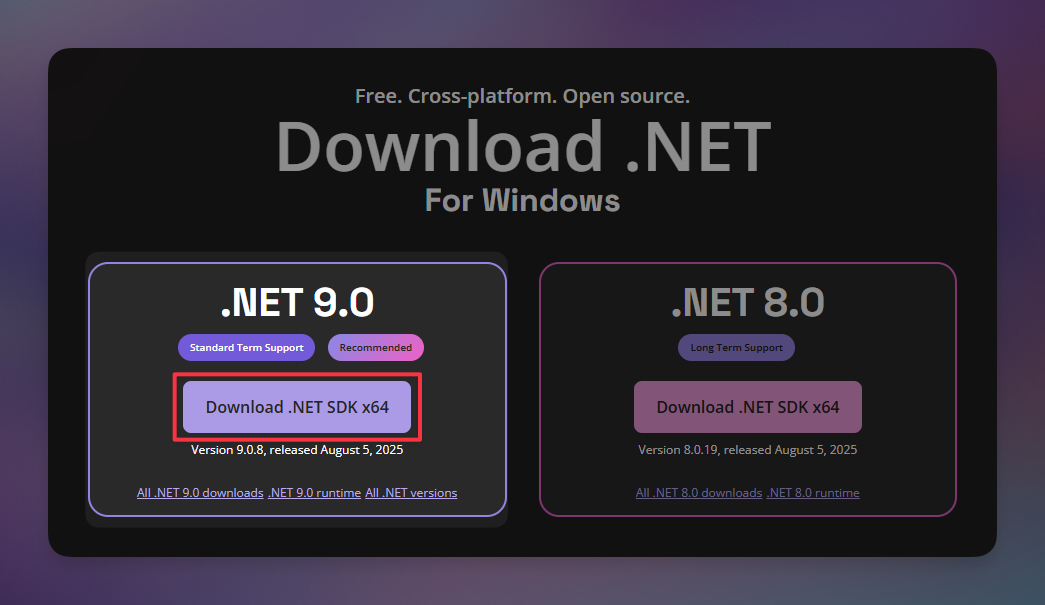
To start making mods it's recommended to use .NET 9.0, in order to install it, you have to go to this page and click on the Download button and just follow the installation steps.
Installing an IDE
TIP
If you already have an IDE installed you can skip to BepInEx setup.
IDE, or Integrated Development Environment, is the place where you will be writing your mod's code. It's recommended to use an IDE instead of a text editor (e.g. Notepad), because they offer a lot of useful features:
- Syntax Highlighting
- Code Autocomplete
- Debugging
- Additional tools (e.g. version control)
- Code formatting
Currently, your choice is slim:
- Visual Studio, has everything you need, but you might not like the UI
- Rider, also has everything, but in a simpler UI and cross-platform
INFO
In case you have Visual Studio already installed, make sure its 2022+ version.
Installing BepInEx
BepInEx is used to load the mods made for Mycopunk and a bunch of other games. Mycopunk uses slightly different version of BepInEx than most other games, which is why you have to download it from Thunderstore.
Depending on your preference, you can download it using a mod manager or manual download.
- In case of mod manager, during the development, you will have to copy your mod to a directory your mod manager uses, but you won't have to manually extract BepInEx
- In manual case, BepInEx and your mod go inside the game directory
INFO
For how to install BepInEx, you can follow the player guide to mods.
Installing a decompiler
Since you don't have access to the actual game code, you have to use a technique called "Decompilation" in order to read the game code. Decompilation allows you to figure out what your mod has to interact with in order to work.
There's a few free decompilers available:
TIP
Rider and Visual Studio both include decompilation tools, but a standalone application can be easier to use for broad searches through the game. See Exploring the Game Code for workflows using ILSpy, dnSpyEx, Rider, and Visual Studio.