Installing mods manually
If for whatever reason you don't want to use a mod manager, you can manually install mods.
Locating the game
Before installing mods you will need to find your game directory, the best way to locate is using Steam.
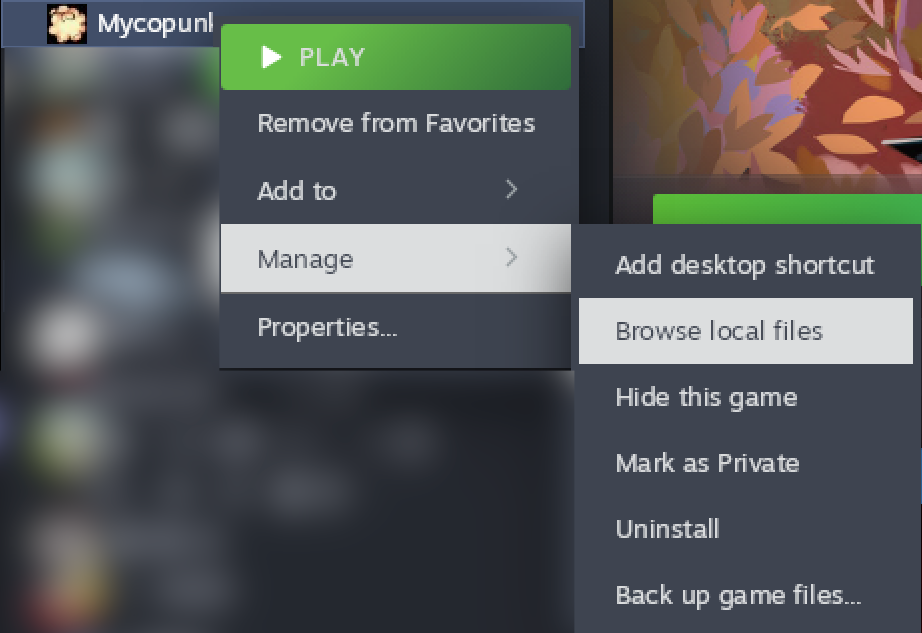
From your steam library, press right click on Mycopunk -> Manage -> Browse local files. This will open up a folder where Mycopunk binary is located.
Installing BepInEx
BepInEx is a plugin / modding framework for Unity and required for modding your game.
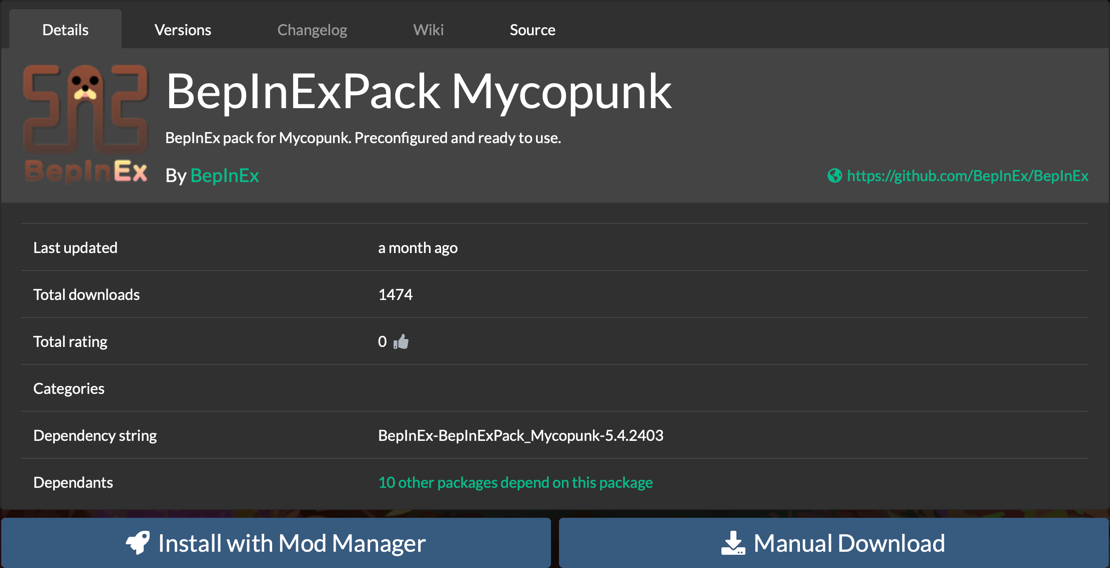
To get started first you have to download it from here.
- Click on
Manual Downloadwhich will download a file namedBepInEx-BepInExPack_Mycopunk-5.4.2403.zip
- Extract its contents.
You should see a structure like this:
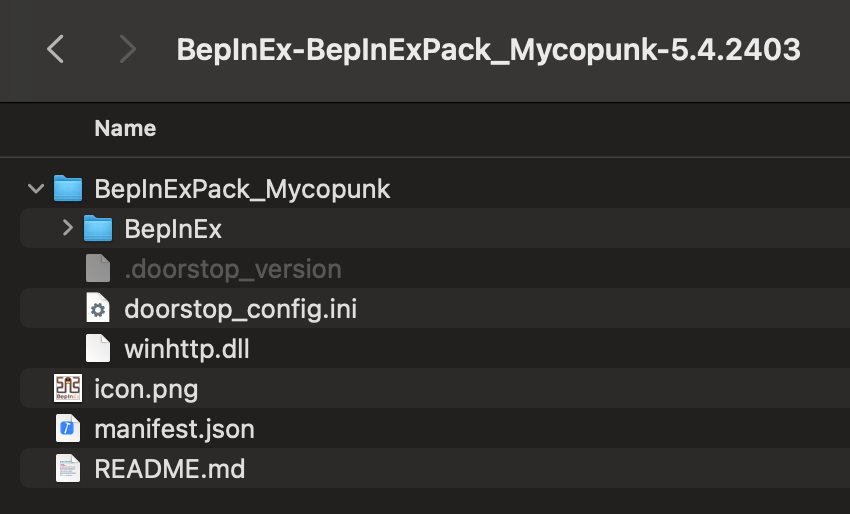
- Move contents of
BepInExPack_Mycopunkto the game folder.
After this your game folder has to look like this:
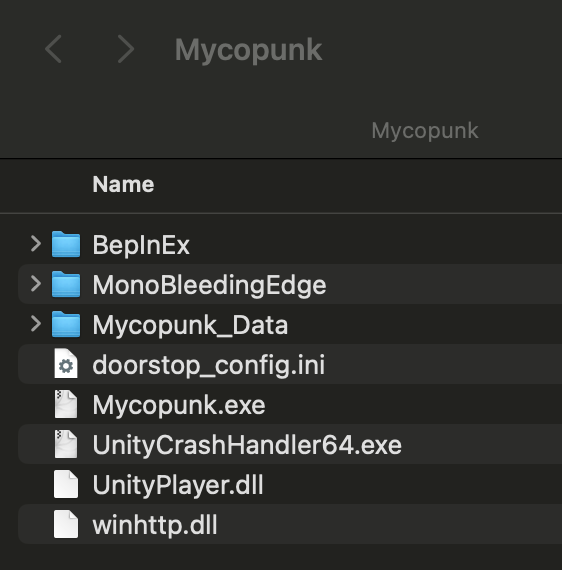
- Launch the game once, for BepInEx to create everything, once you get to main menu you can close it.
- Find a mod you want to install, if you're downloading from Thunderstore you can use
Manual Downloadbutton. - Unzip the file you downloaded
- If it has a
BepInExfolder, move the whole folder to the game root folder - If it only has a
.dllyou can move it toBepInEx/pluginsfolder
- If it has a
- Mod should be installed now and you can start the game from steam.